

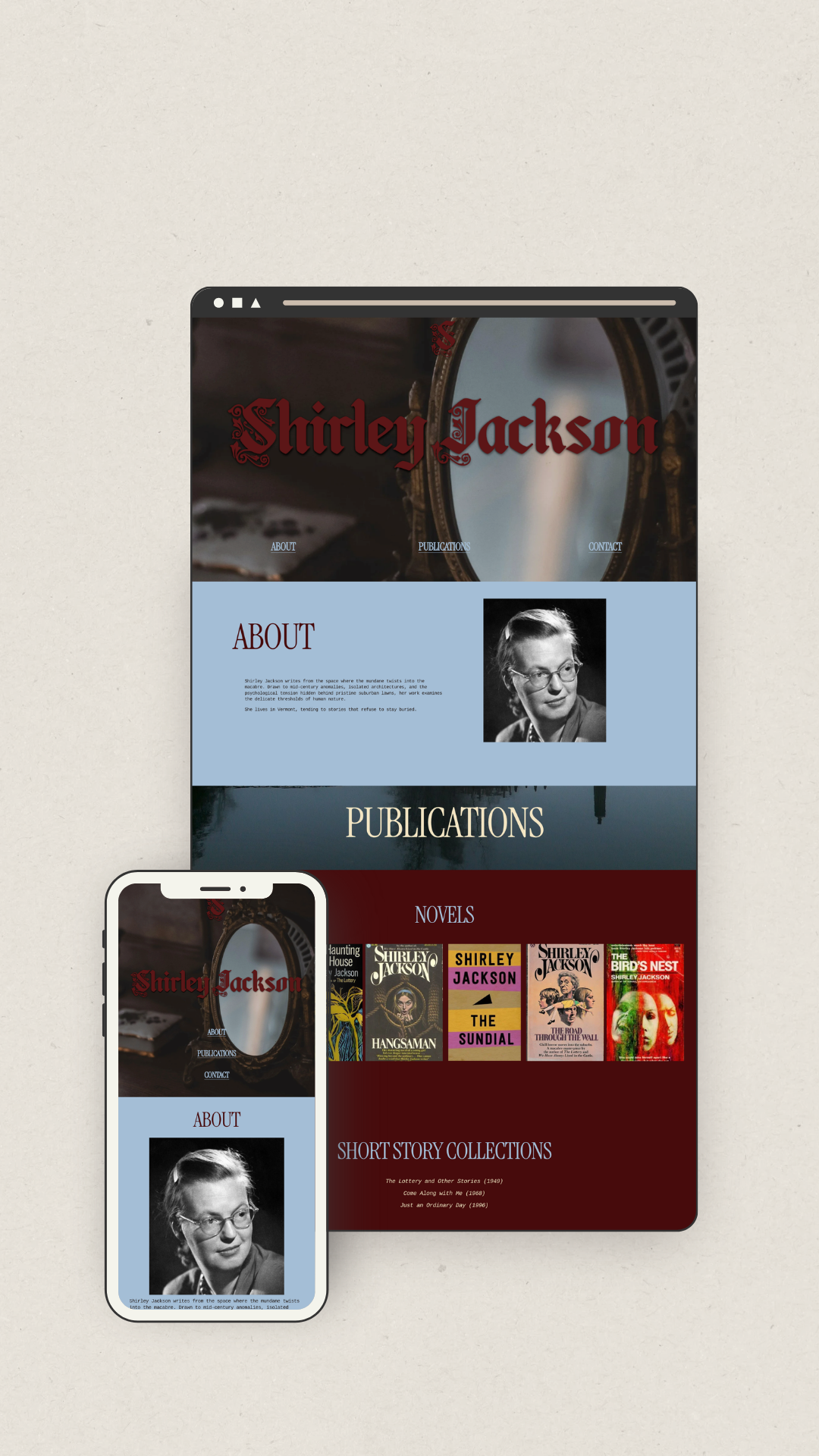
 Image 1 of 3
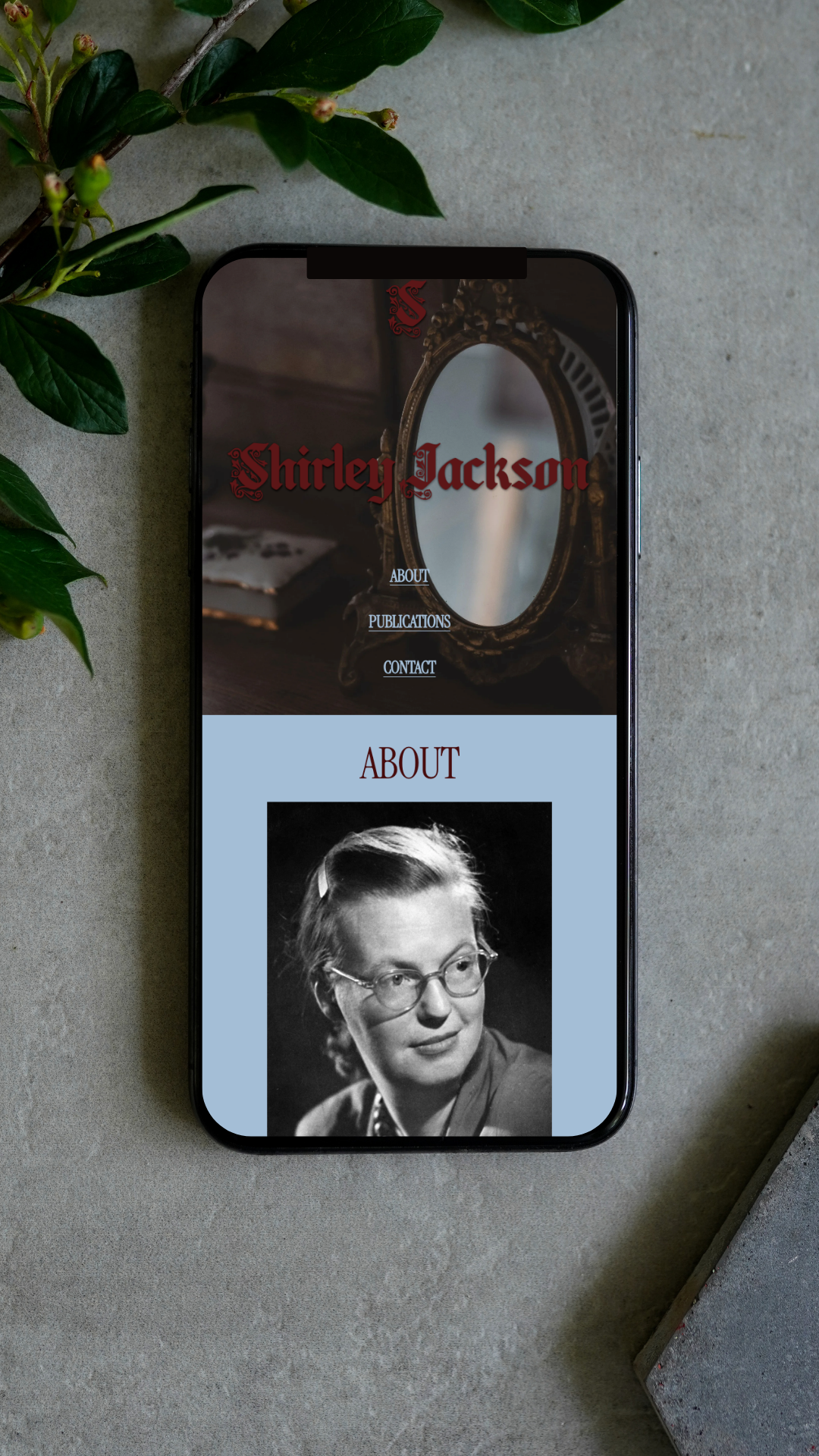 Image 2 of 3
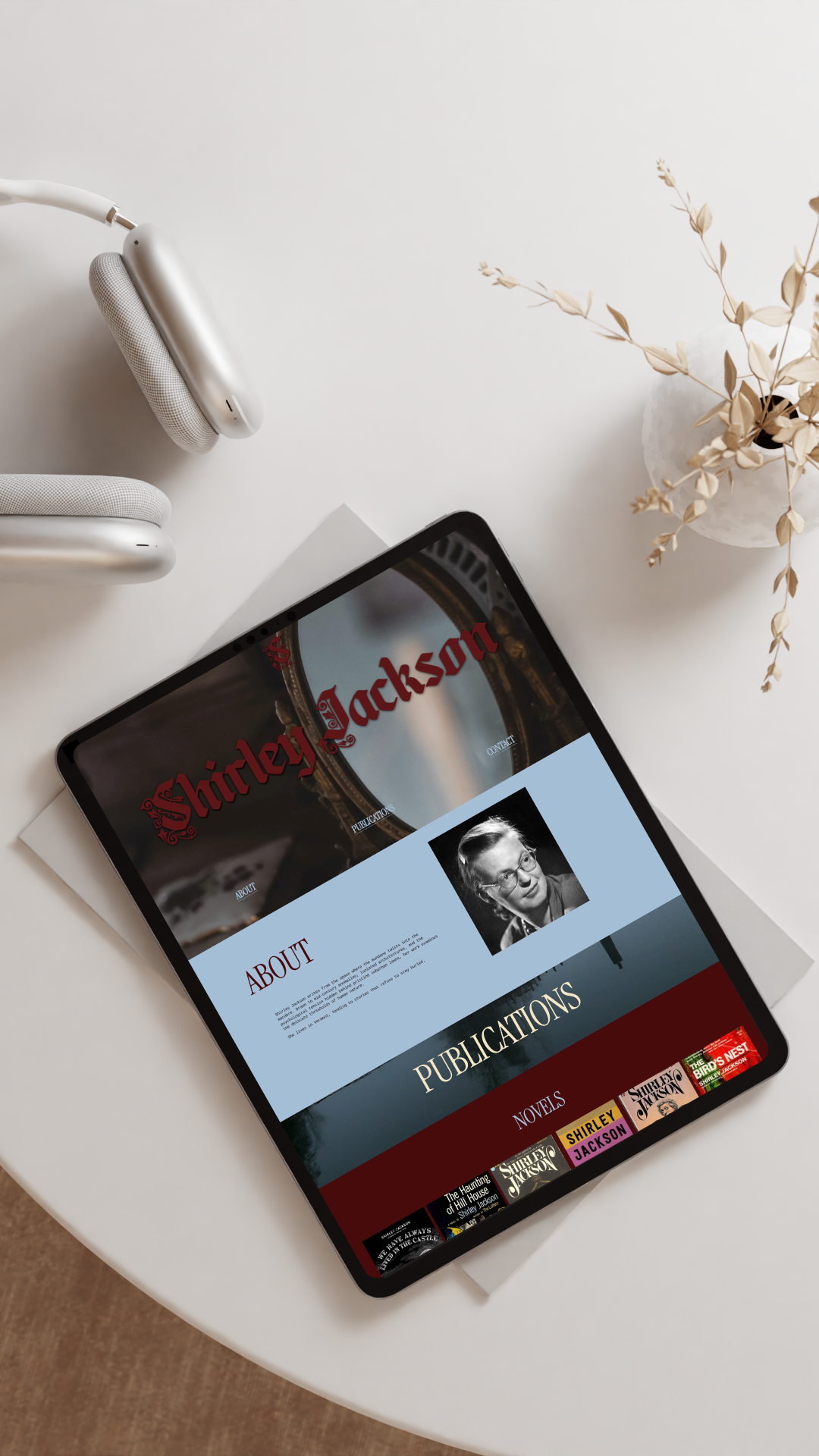 Image 3 of 3
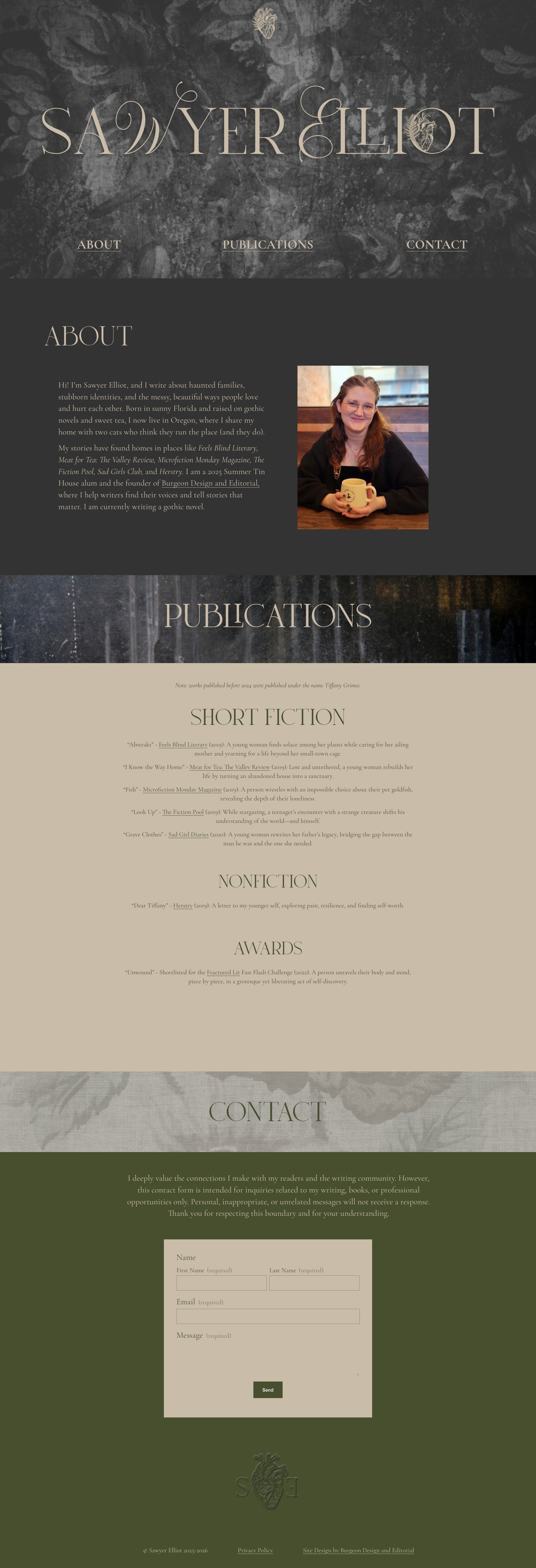
You don’t need a sprawling six-page site to look established. Shirley packs everything agents, editors, and readers actually look for into a single, seamless page—with top menu links that jump visitors straight to each section.
SEE IT IN ACTION:
I believe in the power of templates so much that I created my own author website with a template. These templates are incredibly flexible, and by adding my own author branding, I transformed the base of the template into a dark, atmospheric, gothic home for my writing.
If it's powerful and versatile enough to power my own creative world, I know it can do the same for yours.
THE TEMPLATE: SHIRLEY JACKSON
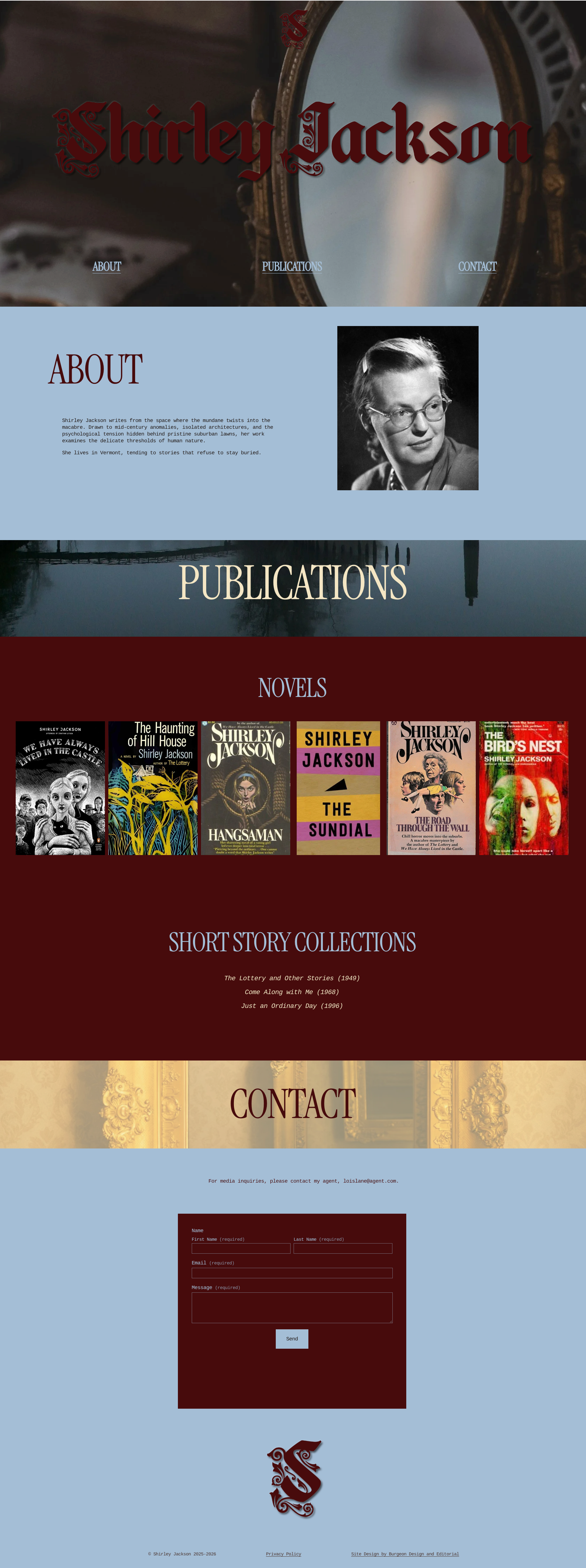
THE LIVE SITE: SAWYERELLIOT.COM
Frequently asked questions
-
Right after checkout, you’ll get instant access to your Website Asset Checklist PDF and our curated library of Squarespace guides so you can start gathering your bio, book blurbs, and photos immediately.
Within 2 business days, I’ll send your template straight to your Squarespace account—either as a brand-new Squarespace 7.1 trial site (complete with an extended 3-month free trial) or installed directly into the “Not Linked” section of your existing 7.1 site, keeping it completely hidden from public view while you customize behind the scenes.
Because every template is built using Squarespace’s native drag-and-drop interface, you can easily swap out every font, color, photo, and word to match your brand and hit publish whenever you’re ready!
-
Literally everything. Every single font, color, background, photograph, and text block can be swapped to mirror your exact brand and genre. You can also duplicate sections, delete blocks you don't need, or rearrange the layout using Squarespace’s drag-and-drop editor.
-
This template is built for where you are right now. You can easily hide the Publications section with two clicks, or repurpose those rows to tease your works-in-progress, share short fiction, or highlight your querying journey until your cover reveal is ready.
-
I designed these templates first and foremost for writers and authors—whether you’re still querying your very first manuscript, preparing for a debut book launch, or managing a full backlist of published books.
Every section is intentionally laid out to impress readers, build your reader newsletter, and showcase your writing without feeling overwhelming.
That said, if you’re a podcaster, bookish content creator, artist, or creative business owner who loves a dark, editorial aesthetic, she only takes a few quick tweaks to make completely yours—just swap "Publications" for "Episodes," "Portfolio," or "Offerings."
Best of all, because you’ll learn how to easily update your pages yourself, you won't have to pay a web designer every time you announce a new project, update a bio, or add a new link.
-
You can still use this template and we won't touch your live site until you’re ready! Here is how it works depending on where your current website lives:
If you’re already on Squarespace 7.1: I can install the template directly into the "Not Linked" Pages section of your existing site. That means your current website stays live and untouched while you customize your new pages privately behind the scenes. Once everything looks the way you want it, you just set your new page as your homepage—no need to cancel your subscription or move your domain!
If you’re on an older Squarespace 7.0 site: Because Squarespace 7.0 and 7.1 run on completely different systems, templates can't be installed directly into a 7.0 site. Instead, I’ll deliver your template as a brand-new Squarespace 7.1 trial site (with an extended 3-month free trial) so you get a clean, modern upgrade. Once you’ve finished customizing, you’ll simply transfer your domain over to the new site.
If you’re moving from another platform (like WordPress, Wix, or Weebly): I’ll deliver your template as a brand-new Squarespace 7.1 site so you can build everything at your own pace during your 3-month free trial. When you’re ready to launch, you’ll connect your existing domain name to Squarespace and say goodbye to your old site!
-
It is way easier than you think! Because our templates are built on Squarespace 7.1, you don't have to manually change colors and fonts section by section. You simply plug your brand palette and chosen fonts into Squarespace’s global Site Styles panel once, and your entire website updates automatically.
From there, you can swap out the placeholder photos for your own headshot and book covers, rearrange blocks, or add and delete sections using Squarespace’s drag-and-drop editor. Think of the template as your starting framework—and feel free to make it completely unrecognizable!
-
After you purchase your template, you’ll be asked how you want it delivered.
New site:
The template will be added to your Squarespace account as a completely separate website with a 3-month free trial. Once you accept the invitation link we send, it will appear in your Squarespace dashboard ready for you to customize!
Install to existing site:
If you’re already on Squarespace 7.1: I can install the template directly into the "Not Linked" Pages section of your existing site. That means your current website stays live and untouched while you customize your new pages privately behind the scenes. Once everything looks the way you want it, you just set your new page as your homepage—no need to cancel your subscription or move your domain!
If you’re on an older Squarespace 7.0 site: Because Squarespace 7.0 and 7.1 run on completely different systems, templates can't be installed directly into a 7.0 site. Instead, I’ll deliver your template as a brand-new Squarespace 7.1 trial site (with an extended 3-month free trial) so you get a clean, modern upgrade. Once you’ve finished customizing, you’ll simply transfer your domain over to the new site.
If you’re moving from another platform (like WordPress, Wix, or Weebly): I’ll deliver your template as a brand-new Squarespace 7.1 site so you can build everything at your own pace during your 3-month free trial. When you’re ready to launch, you’ll connect your existing domain name to Squarespace and say goodbye to your old site!
-
Yes! Most readers—and plenty of literary agents—are going to click your website link straight from their phone (via Instagram, TikTok, or your email signature), so every single page of each template has been intentionally styled for both desktop and mobile screens.
Because Squarespace 7.1 lets me customize the mobile layout separately from the desktop view, I’ve already arranged the spacing, font sizes, and image stacking so your site looks crisp, balanced, and easy to scroll on a phone—without any awkward text cutoffs or tiny, unreadable buttons.
Just keep in mind that if you rearrange blocks or add new sections while customizing, you’ll want to click the little mobile icon in the top-right corner of the Squarespace editor to double-check how your edits look on a smaller screen!
-
You will never be required to write, copy-paste, or touch a single line of code to customize or launch your site. Everything is built using Squarespace’s native, drag-and-drop Fluid Engine editor—if you can type in a document and upload a photo, you’re golden.
Behind the scenes, I do include a few small, intentional snippets of custom CSS to give the site that polished finish—like preventing Squarespace from awkwardly hyphenating your headlines on mobile screens, or allowing Heading 1 to have its own distinct display font separate from the rest of your headers. I’ve already installed and set all of that up for you, along with a quick note explaining what each piece does. You can leave it right where it is and enjoy the elevated look without ever opening the code panel!
You are more than welcome to add any code of your own to customize your template further!
-
Yes! SEO stands for Search Engine Optimization—basically, how easily readers, literary agents, and media can find you when they type your name or book title into Google.
Our templates are built with SEO best practices baked right into the layout, including clean heading hierarchy, fast-loading structure, and full mobile optimization. Because it’s a native Squarespace 7.1 site, you can optimize it as much or as little as you want through the content you add—like using your author name and genre keywords naturally in your bio, compressing and naming your image files properly, and filling in Squarespace’s built-in page descriptions. (I’ll walk you through all the essential spots to fill in before launch day so you don't miss a thing!)
One quick note if you’re moving over from an existing website: You might notice a temporary dip in your search rankings right after launching a redesigned site.
That is completely normal anytime a website gets a major overhaul! As long as you keep your page URLs consistent (or set up simple redirects so nothing leads to a broken link), your rankings should settle right back in and climb over the next couple of months.
-
To publish your website live to the internet, you will need two separate things from Squarespace: a Squarespace hosting subscription and a custom domain (URL).
You don’t need to pay for either of these before purchasing your template! Your template comes with an extended 3-month free Squarespace trial (compared to the standard 14 days), giving you plenty of time to customize everything behind the scenes before paying for hosting.
Here is how those two costs break down when you’re ready to launch:
Squarespace Hosting Subscription: When you’re ready to hit publish (or when your 3-month trial ends, whichever comes first), you’ll choose a Squarespace plan. Because you’re starting with a Burgeon template, you’ll get 10% off your first year of an annual plan.
The Basic / Personal plan works great for most authors who simply want a gorgeous home for their bio, books, and newsletter signup.
If you want to use promotional pop-ups, announcement bars, custom CSS, or sell books/merch directly through a shop on your site, you’ll want the Core / Business plan or higher.
If you’re moving over from an existing Squarespace site and choose to have your template delivered as a brand-new site rather than installed into your current one, you will need to start a new hosting subscription—Squarespace doesn’t allow subscriptions to transfer between separate sites.
Your Domain (URL): Domains typically cost around $12–$20 per year. You can buy your domain directly through Squarespace or connect one you already own from a third-party provider like Namecheap or GoDaddy.
PS: Squarespace includes your first year of domain registration free when you sign up for an annual hosting plan!
-
Due to the digital nature of our products, our website templates are non-refundable.
Make sure to read all of the product details before purchasing and reach out to our team if you have any questions!